
X (Twitter) launch posts for your app
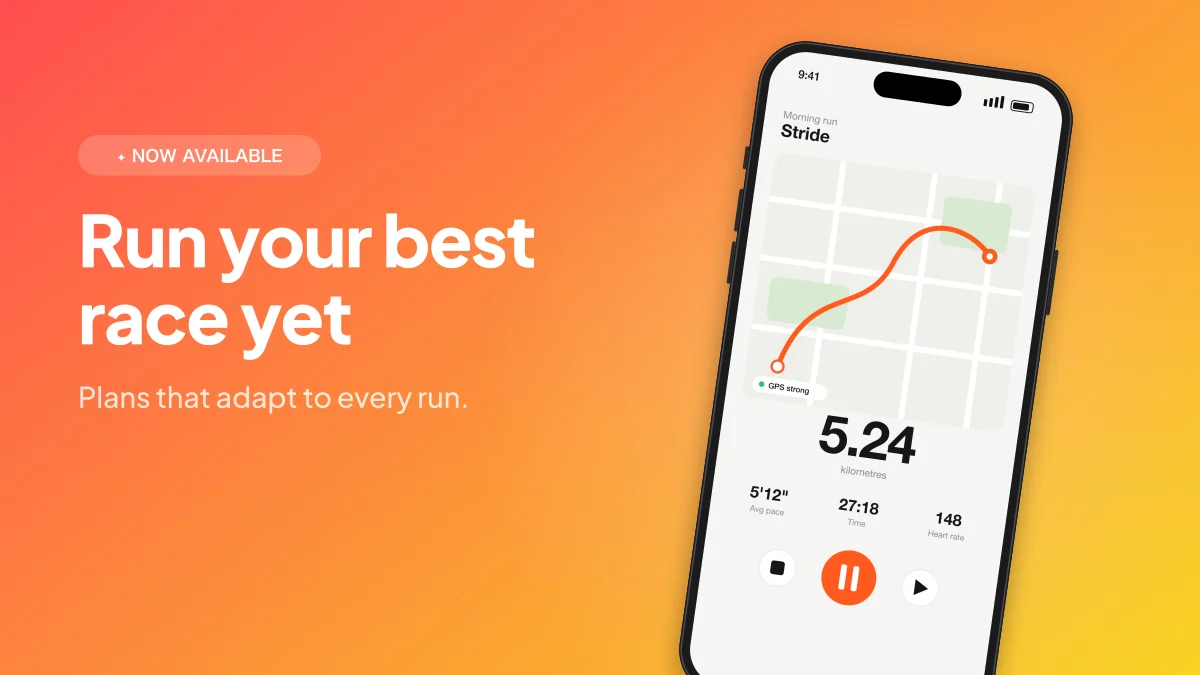
A launch tweet with a great image gets far more attention than text alone. LaunchHerald turns a screenshot into a 1600×900 image that shows full width in the X feed — headline on one side, your app on the other.
Start free No credit card · works in your browser
What you get
Full-width in the feed
1600×900 shows uncropped in the X timeline.
Build-in-public cards
Add sale alerts, analytics cards and notifications to share milestones.
Threads, styled
Make a matching image for every tweet in your launch thread.
How it works
Upload a screenshot.
Pick the X post format and a layout.
Export and attach to your tweet.
Questions
What's the best image size for X?
1600×900 (16:9) displays full width without cropping in the timeline.
Can I add my revenue or user numbers?
Yes — the analytics card and sale alert generators add your own numbers to any post.
Related tools
Analytics & growth cardsMake clean growth charts for your posts: revenue, MRR, users or downloads with a trend line and % change.Sale notification cardsShare your launch milestones with clean sale notification cards: new sale, new subscriber, payout.LinkedIn launch postsAnnounce your app on LinkedIn with a professional 1200×627 launch graphic: device mockup, clear headline and your brand colours.
You built it. Now get it noticed.
Launch posts, videos and mockups from the screenshots you already have.